Daily AI Move · 003
Add a “which service is right for me?” quiz to your website, built by Claude.
List your services in Claude, with what each one includes, who it's for and the starting price, then ask for a short quiz that recommends the right one. In our run, Claude built a five-question quiz in 36 seconds that shows the best match, why it fits, the price and a Book this button.
At a glance
- Built with
- Claude Sonnet 5.5, Medium effort
- Build time
- 36 seconds
- Questions
- 5, one per screen
- Cost
- Your existing Claude plan
- Published
57-second walkthrough
Watch it start to finish
The whole build, from an empty chat to a working page, recorded in Claude.
Read the transcript
Your customers don't know which of your services they need.
So let a quiz tell them. Let's build one in Claude. No code.
Start a new chat. List your services, what each one includes, and your starting prices.
Then ask for a short quiz that recommends the right one, with a “Book this” button.
Hit send. About thirty seconds later, the quiz is right there in the chat.
Take it like a customer. Been here a while. Patchy lawn. Medium yard. I'll do my own mowing.
Lawn rescue, from $349. And it says why it fits.
Then read Claude's notes. The “Book” button needs your booking link, and it caught that mowing is out of season in November.
It even offered to ask for a name and email, so every quiz becomes a lead.
When it's right, ask Claude for the embed code and put it on your website.
Want this exact quiz and the prompt? They're at the link in our bio.
Follow MediaMentorAI for one new AI move every day.
Live demo
Take the quiz Claude built
This is the quiz Claude built for a made-up lawn care company, as it came out. Answer the way a customer would and it recommends one of five services, with the reason and the starting price.
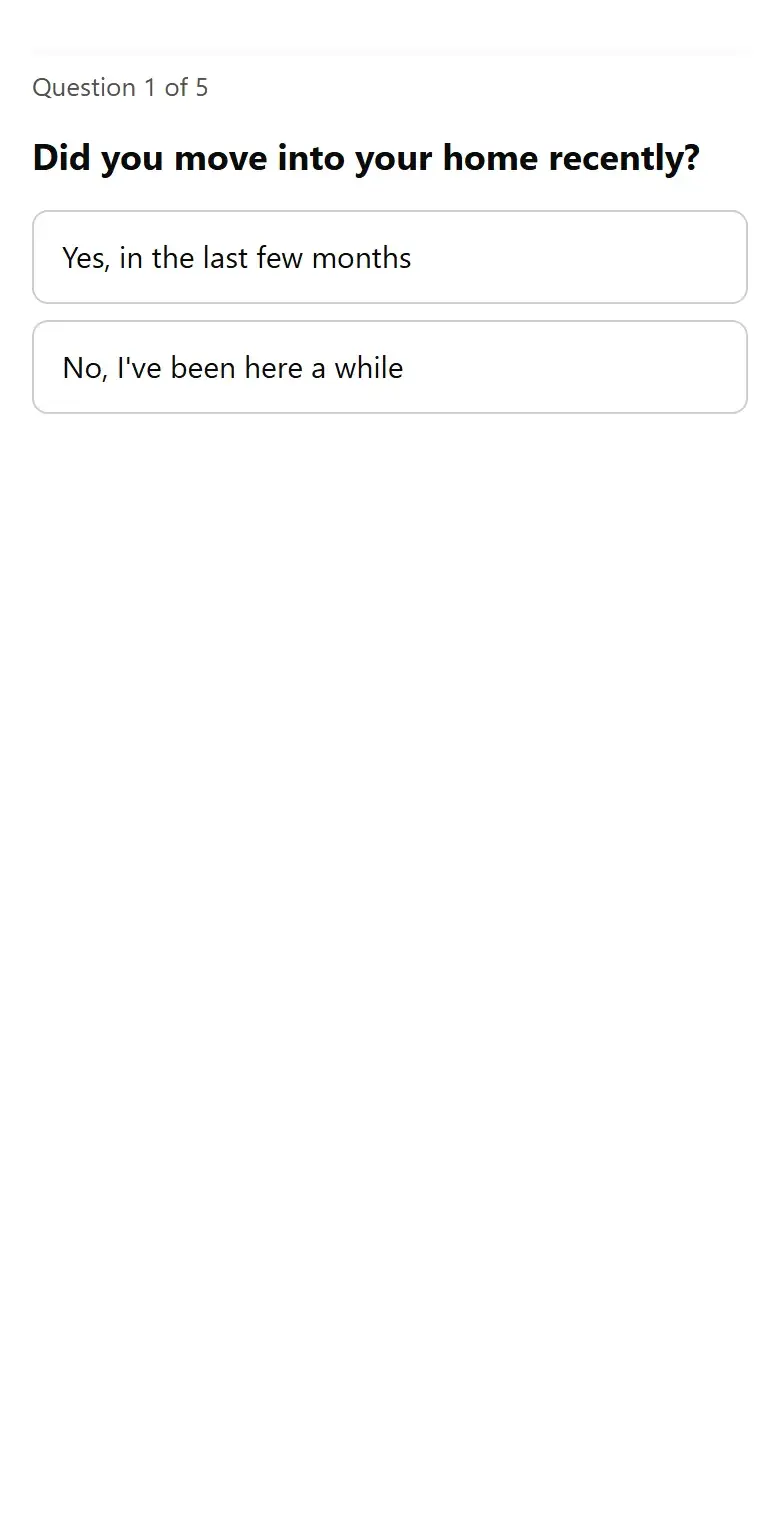
Try this
- Tap No, I've been here a while
- Tap Thin, patchy or full of weeds
- Then Medium, I like doing the regular work myself, and A one-time fix or tidy-up
- Tap Start over and try different answers
You should get Lawn rescue, from $349, one time, with a reason that matches your answers.
The company and prices are made up. Book this shows a note in the demo, because there's no booking page to send anyone to.
Open it full screen (opens in a new tab)Step by step
How to build it in 5 steps
Tested in Claude with Claude Sonnet 5.5, Medium effort.
List your services
Open a new chat in Claude. For each service, write one line: what it includes, who it's for and the starting price. Plain lines work; you don't need a table.
Ask for the quiz
Ask for a short quiz that recommends the right service, with 4 or 5 easy questions a customer can answer, and say what the result should show: the best match, why it fits, the price and a “Book this” button. End with “Show it to me here first. Don't publish it yet.”
That last line matters. When a request mentions your website, Claude may offer to publish what it builds.
Let Claude build it
Send the message. Ours took 36 seconds, and the quiz appeared right in the chat, ready to click. Each answer adds points to the services, and the highest total wins.
Take it like a customer
Click through as a few different customers. Our homeowner had been there a while, with a patchy lawn and a medium yard, and liked doing their own mowing. The quiz recommended Lawn rescue, from $349, and said why. Try a path for every service and check each one lands where you'd send that customer.
Get the embed code
Read Claude's notes first: ours said the Book button needs your booking link, caught that mowing is out of season in November, and offered to add a step that asks for a name and email. Then ask for the embed code. Ours made one HTML file with a BOOKING_URL line near the top to change, and said to paste the whole file into a “Custom HTML” or “Embed code” block, which works in Wix, Squarespace, WordPress, Weebly and GoDaddy.
We asked with “Don't publish it.” The embed file stays in your chat until you paste it into your site.
Copy it
The exact prompt we used
Swap in your own services and prices, and send it as one message.
Prompt
I run a lawn care company. Build a short quiz for my website that recommends the right service for each customer.

My services:
Weekly mowing: mow, edge and blow every week, April to October. From $45 a visit.
Full care plan: weekly mowing plus fertilizer, weed control, and spring and fall cleanup. From $189 a month.
Lawn rescue: aeration, overseeding and a soil test for thin, patchy or weedy lawns. From $349, one time.
Seasonal cleanup: leaves, branches, beds edged and fresh mulch. From $225, one time.
New homeowner start: soil test, first cut and a 3-month plan for your new yard. $149.

Ask 4 or 5 easy questions a homeowner can answer, like how big the yard is, how the lawn looks now, and how hands-on they want to be.
Show the best match with why it fits, the starting price, and a "Book this" button.
Show it to me here first. Don't publish it yet.
The download is a fuller version of this prompt: it asks about your services and where Book this should go, confirms the quiz logic with you before building, then gives you a set of answers for every service so you can test each path. ChatGPT can follow it too, but we made this tutorial in Claude.
Under the hood
What Claude built, and why
Read from the quiz, its code and the notes Claude wrote under it.
Five questions a homeowner can answer
Whether they just moved in, how the lawn looks now, the size of the yard, how hands-on they want to be, and what they want help with most. One question per screen, with a progress bar and a Back button.
Points, not guesswork
Each answer adds points to one or more services, and the highest total wins. A patchy lawn adds 5 points to Lawn rescue, for example, and “Do it all for me” adds 3 to the Full care plan.
A reason that matches the answers
The result says why the service fits, in a sentence that changes with what the customer picked, then lists what's included and the starting price.
A Book button waiting for your link
With no booking page to send people to, Book this shows a note in the preview. Claude asked for your booking link, a phone number or a form to wire it up.
It noticed the season
Claude pointed out that it was November, so mowing was out of season until April, and offered to send mowing-leaning answers to Seasonal cleanup until spring.
An embed file when you ask
Asked for the embed code, Claude made one self-contained file with the booking link in one place, and its Book button adds the matched service to the link (for example ?service=lawn-rescue), which your booking tool can ignore.
An offer to capture leads
The quiz doesn't collect names or emails. Claude offered to add a “Where should we send your quote?” step if you want leads.
Make it yours
The same move for other businesses
Describe your own services the same way. The download asks you the right questions.
Pet grooming
Recommend a bath, a full groom or a de-shedding package from coat type and size.
House cleaning
Recommend a standard, deep or move-out clean from the home and how long since the last one.
HVAC
Point to a repair visit, a tune-up or a replacement quote from the system's age and symptoms.
Hair salon
Match a cut, color or treatment to what the client wants and their last visit.
Fitness studio
Recommend a class pack, a membership or personal training from goals and schedule.
Landscaping
Separate maintenance customers from design projects before anyone picks up the phone.
FAQ
Questions about this tutorial
Do I need to know how to code?
No. You list your services in plain sentences and Claude builds the quiz. You never have to open the code unless you want to.
How does the quiz pick a service?
In ours, each answer adds points to one or more services and the highest total wins. Claude explained the scoring in its reply, and you can ask it to change any weighting in plain words.
Which Claude plan and model did you use?
We used Claude Sonnet 5.5 at the default Medium effort on a paid plan. Plans and limits change, so check Claude's plans page for what yours includes. We haven't tested this on the free plan.
Does this work in ChatGPT?
We made and tested this tutorial in Claude. The downloadable prompt file is written so ChatGPT can follow it too, but we haven't tested it there yet.
How do I put the quiz on my website?
Ask Claude for the embed code. Ours gave us one HTML file and said to set the booking link near the top, then paste the whole file into a “Custom HTML” or “Embed code” block, which works in Wix, Squarespace, WordPress, Weebly and GoDaddy. The live demo on this page is Claude's quiz, running on our site.
Can the quiz collect names and emails?
Not as built. Claude offered to add a “Where should we send your quote?” step. Add it only if someone will follow up quickly, and say on the page what you'll do with the details.
Will Claude publish the quiz for me?
Claude can offer to publish what it builds, which makes it public. If you only want to test it, say “Show it to me here first. Don't publish it yet,” as our prompt does.
Want it to do more?
Turn quiz answers into booked jobs.
MediaMentorAI connects tools like this to your calendar, texts and follow-up, so a visitor who finds the right service gets booked, not lost.